


While browsing the internet, you accidentally come across an interesting video on Instagram, but you are worried that you won’t be able to see it again or want to repost it one day? Relax, in this day and age, everything is very easy, because to download Instagram videos, you only need a smartphone or similar device!
That’s why on this occasion, Wowkia will tell you how to download Instagram videos on Android and iPhone easily! Whmore, you can do this method without restrictions and any applications!

How to Download Instagram Videos
But, before following how to download Instagram videos on Android and iPhone, make sure you don’t abuse the video. If you do that, not only in the real world, the internet also has laws against users like this!
Oh yeah, before following this method, you should update your Instagram application to the latest version. Because if you don’t do it, later there might be problems when you do how to download Instagram videos on Android and iPhone.
Total Time: 2 minutes
Open Instagram App and Copy Link
First, open the Instagram application on your Android smartphone or iPhone and search for the video you wanted to download earlier. After getting it, press the dot right above the video post and select Copy Link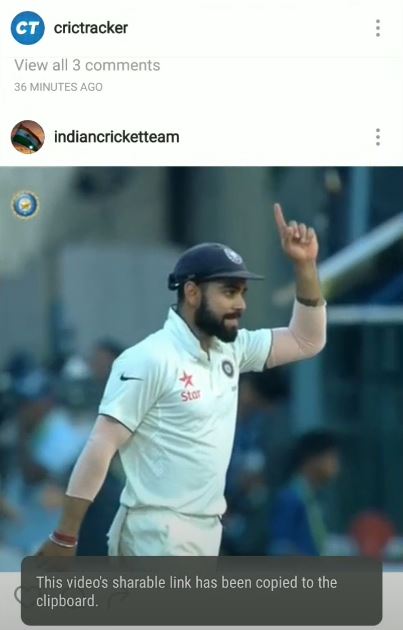
Go to SaveFrom Website and Paste Link
After you have finished copying the video link, open the SaveFrom website in your web browser and paste the link that you copied earlier into the column provided and press the right arrow button, then Download MP4.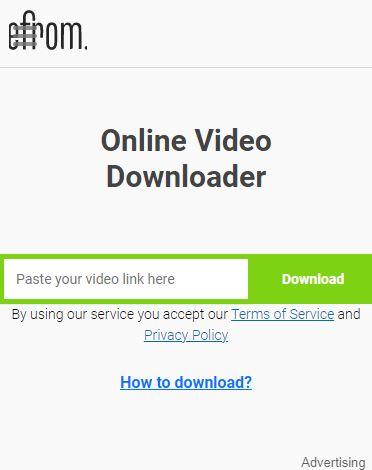
Press the Point 3 and Download
Well, if you have pressed Download MP4, later a new tab will appear like the photo above and press the point 3 buttons as in the photo, then Download.
Note: usually, two tabs will appear, one ad and one like the photo above. So, when you do this method, try not to delete one of these tabs!
That’s how to download Instagram videos on Android and iPhone, what do you think? Oh yeah, if you have something to say regarding our discussion this time, don’t forget to say it in the comments column!